How Do I Unlink a STEM2 from My Account?
Remove a STEM2 from your linked devices so it can be reset or linked to another account.
1 min read. Updated July 28, 2026
You can unlink a STEM2 from your account at any time.
Unlinking removes the device from your account. You may want to do this before selling a STEM2, giving it to someone else, or linking it to a different account.
This article explains how to unlink a STEM2.
Unlink a STEM2
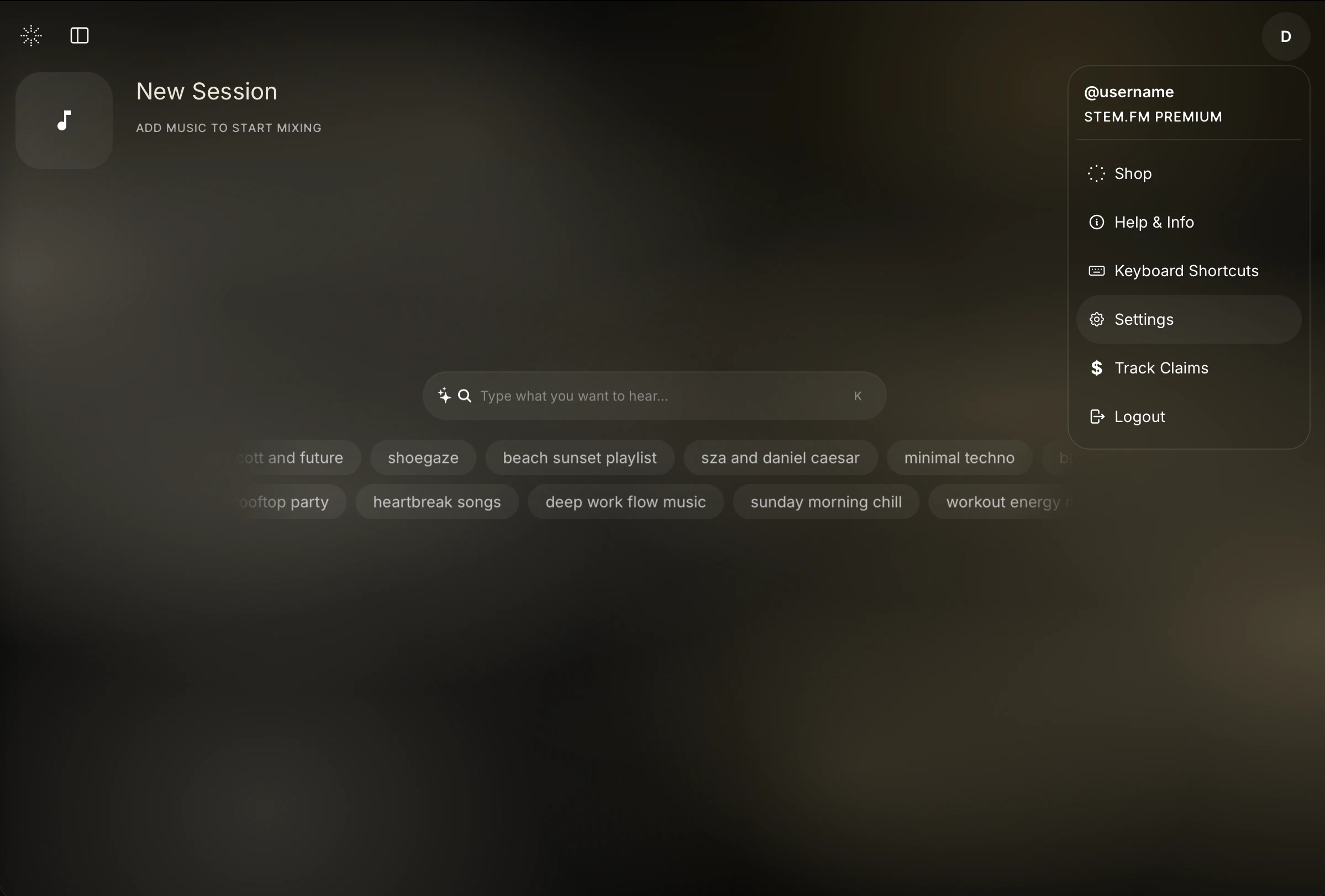
In the top right, click on your profile, then choose Settings.
Under Settings, go to Profile, then Linked devices.
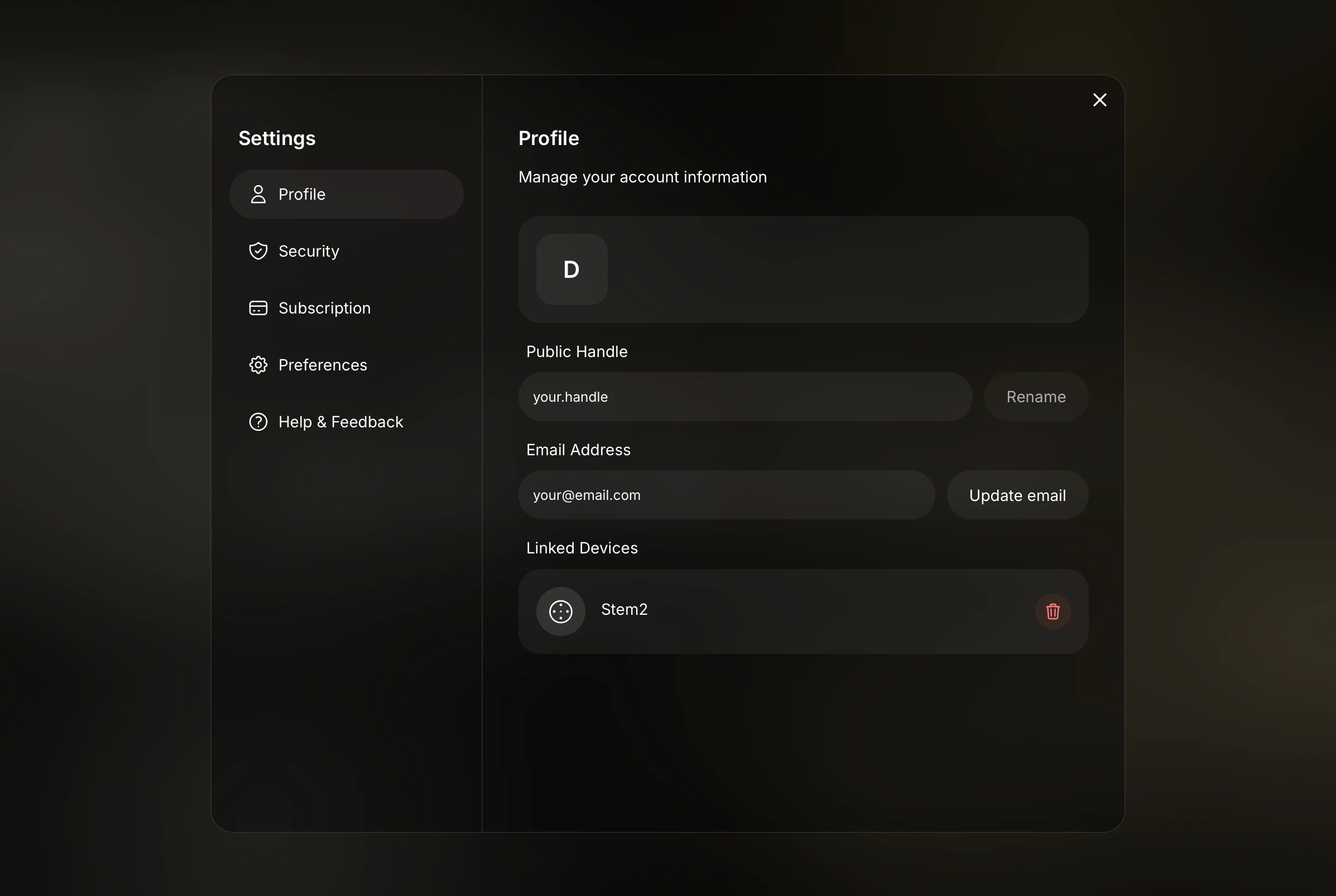
Click the trash can icon next to the STEM2.
The STEM2 is now unlinked from your account.
What happens after unlinking?
The STEM2 no longer appears in your linked devices.
The device can now be linked to another account after a reset.