How Do I Mute or Isolate Stems?
Hear one stem by itself, or turn one stem off while the rest of the song keeps playing.
2 min read. Updated July 17, 2026
When a song is in stem format, you can control its stems inside the player.
A stem is one part of a song, such as vocals, drums, bass, or melody.
This article explains how to mute and isolate stems.
Mute a stem
Mute means turning one stem off while the rest of the song keeps playing.
For example, if you mute vocals, you hear the drums, bass, and melody without the vocal.
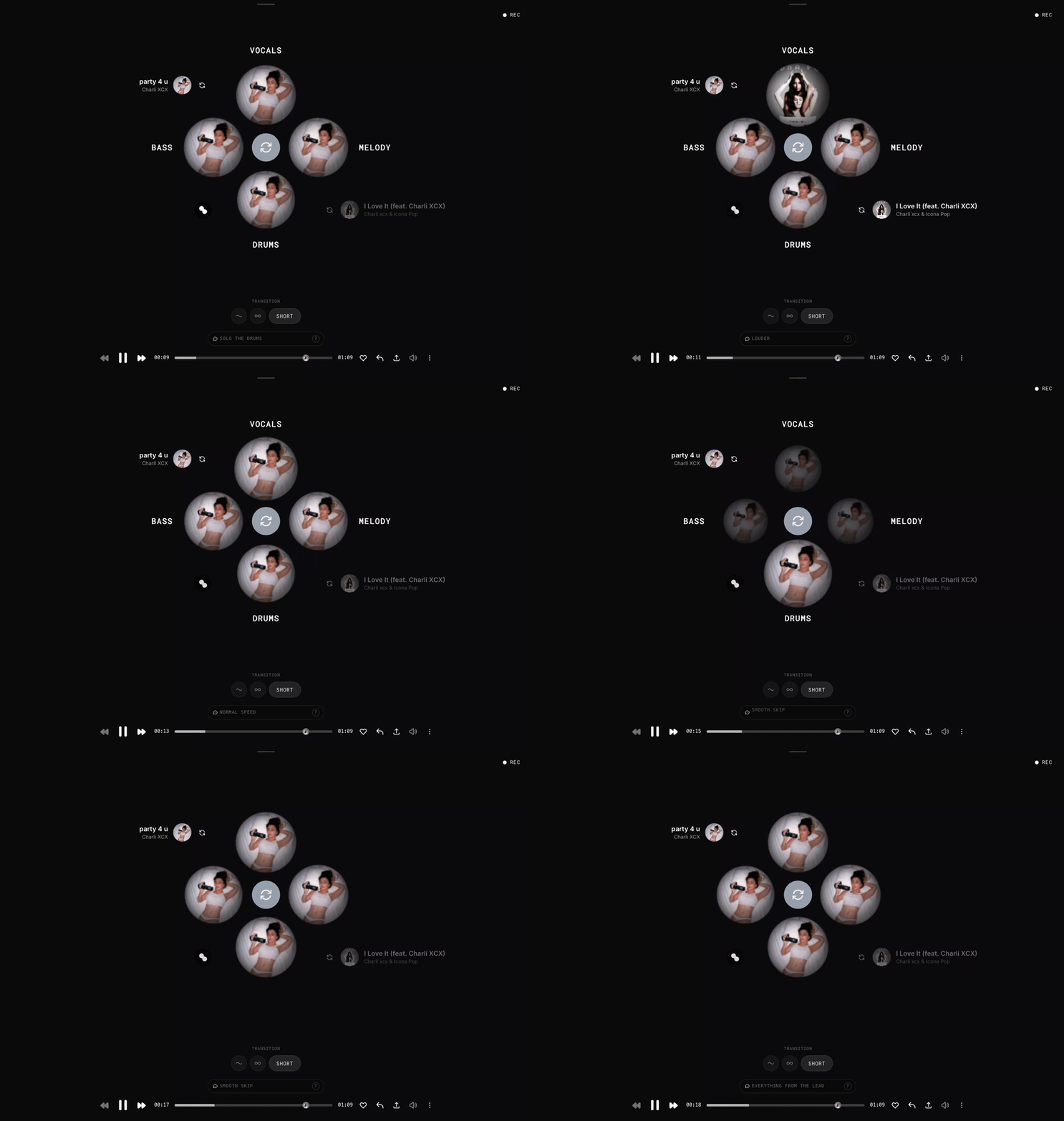
To mute a stem, tap the stem in the player.
Tap the stem again to turn it back on.
Isolate a stem
Isolate means hearing one stem by itself.
For example, if you isolate drums, you hear only the drums.
To isolate a stem, hold the stem in the player.
STEM.FM lowers the other stems while you hold it.
Release the stem to bring the full track back.
What can I control?
You can control stems in different ways.
You can:
- mute a stem
- isolate a stem
- rebalance its volume
- swap it with another stem
This article only covers muting and isolating.
Why can't I hear all the stems?
Some songs do not have every stem clearly available.
For example, a song may not have a clear vocal, drum, bass, or melody part.
If one stem sounds quiet or empty, that part may not be clear in the original song.